

Check the game’s Xbox statistics
Open the game’s achievements and statistics on Xbox and look for Time played. The Xbox time-played help page gives the current navigation for supported devices.
Availability depends on the game and what it reports. A missing time value does not necessarily mean zero playtime. Account totals can include play on other Xbox-connected devices.
Import Xbox hours into PlayCounter
Worth doing if Xbox has hours you want to keep: the import brings in the playtime Xbox reports for your games. New PC Game Pass sessions are tracked either way, with or without an import.
Open Xbox in My Games
In the sidebar under My Games, select Xbox, then Import from Xbox.
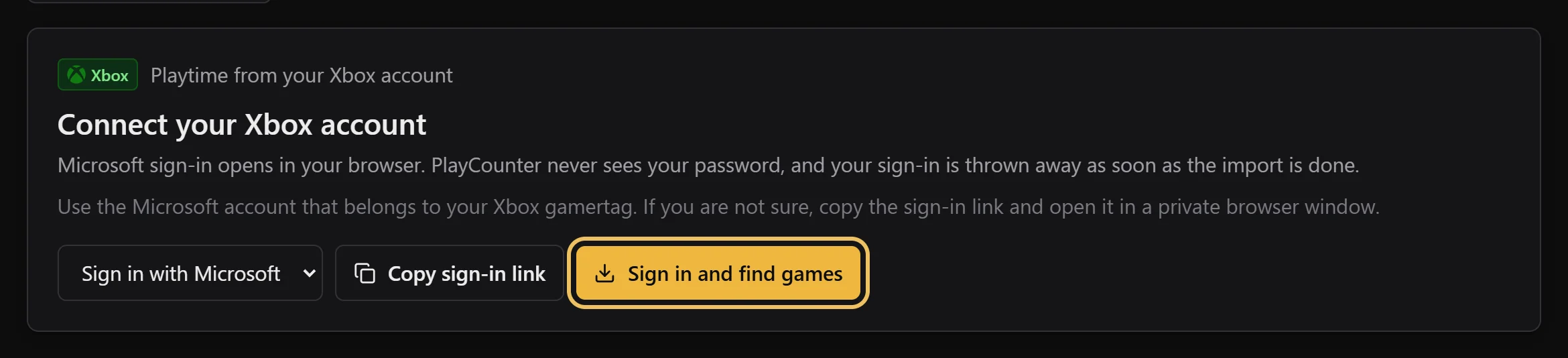
Select Sign in and find games
The Microsoft sign-in opens in your browser. Use the account that belongs to your Xbox gamertag. If you are not sure which one it is, copy the sign-in link and open it in a private browser window.
Confirm the games and import
Back in PlayCounter, review the detected games and confirm the correct game where a match is needed. Import your selection; available Xbox playtime is included in the game totals.
PlayCounter does not see your Microsoft password. The API temporarily handles authorization and Xbox game data for the import; the sign-in is discarded afterward. Import privacy details.
Track new PC Game Pass sessions
Leave PlayCounter running and launch your installed game from the Xbox app or a shortcut. A recognized process is tracked automatically, even without an Xbox import.
Imported account hours and local PC sessions are different records. PlayCounter does not monitor a console or identify the individual game inside a cloud-streaming client. How imported and local totals combine.
If a match needs your attention
Review the game title before accepting an import match. Different Xbox releases can share similar names, and some Windows games use generic executable names. A local match choice helps identify your installation without turning that ambiguous filename into a match for everyone.