

Supported emulators
| Emulator | Games | Detection |
|---|---|---|
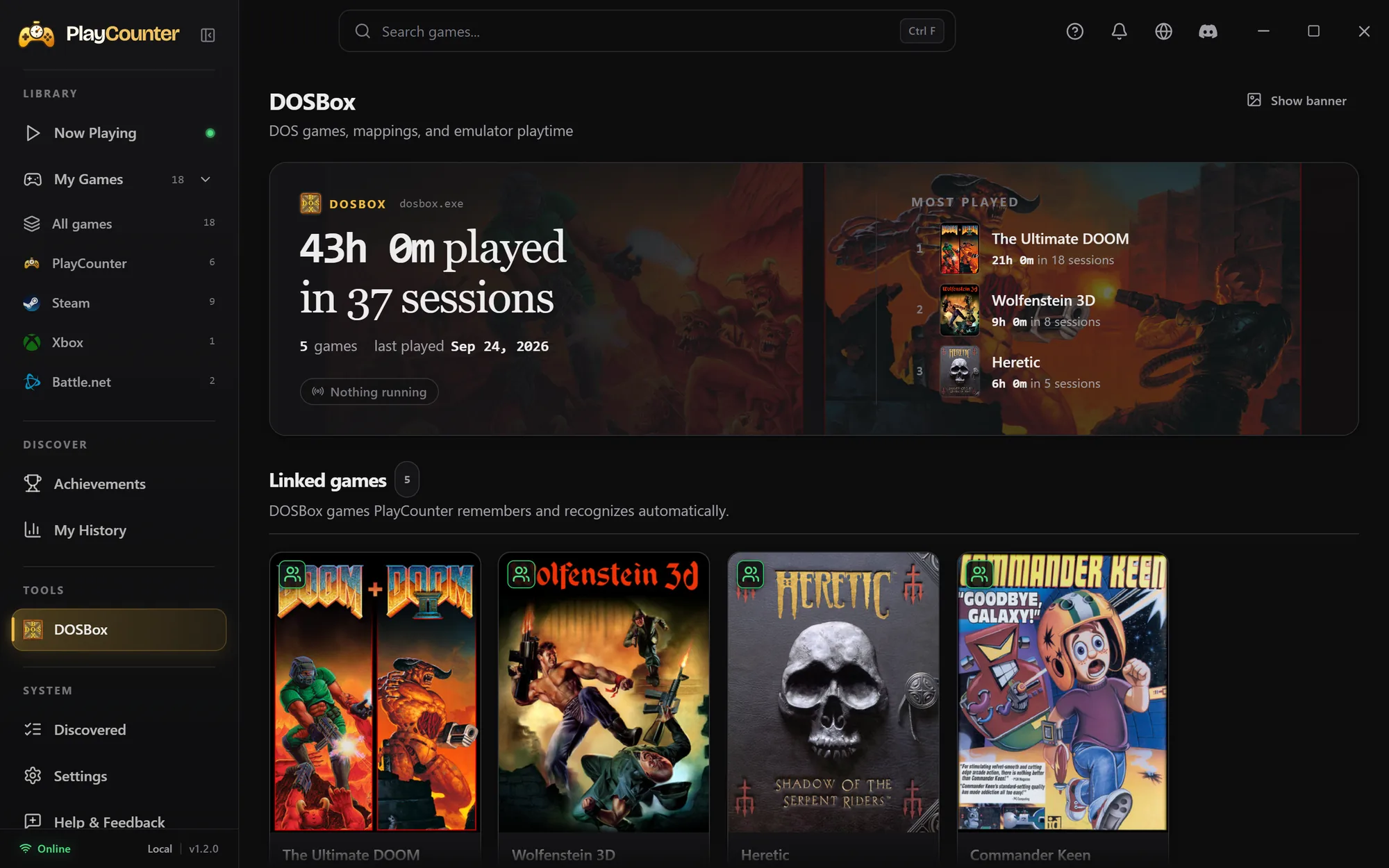
| DOSBox | DOS | Supported DOSBox variants, including DOSBox-X and DOSBox Staging; game information comes from the running emulator. |
| Dolphin | GameCube and Wii | Game identifiers or recognizable window titles exposed by Dolphin. |
| PCSX2 | PlayStation 2 | The disc image PCSX2 has open or was started with, including the game serial in its file name. |
| mGBA | Game Boy, Game Boy Color and Game Boy Advance | The game name mGBA shows in its window title. Keep mGBA’s Dynamically update window title setting on, as it is by default. |
This is the current dedicated per-game support list. Other emulator processes can be assigned a local entry, but that alone does not identify each game inside them.
Start tracking an emulated game
- Open PlayCounter and keep emulator detection enabled in Settings.
- Launch a game in DOSBox, Dolphin, PCSX2 or mGBA normally.
- Check the emulator’s page, which appears in the PlayCounter sidebar under Library. Recognized content is matched to its game; review any choice the app asks you to confirm.
- Play and close the game as usual. Its recorded time is available in your library and history.
For DOS games bundled with their own DOSBox copy, launch the game through its normal shortcut. The emulator does not need to have been installed separately.
Review uncertain matches
Detection depends on what the emulator exposes. An empty window title, generic executable or missing game identifier may require a local choice. Use the detected content on the emulator’s page to pick the correct game instead of assigning every game to the emulator executable.
DOSBox, Dolphin, PCSX2 and mGBA support does not imply support for every emulator or every game configuration. Check Now Playing on your first session to confirm the title being recorded.
What gets recorded
PlayCounter records new local sessions while it is running. It does not import old hours from emulator save files or infer time from save states.
Emulator detection reads local process details such as command lines, window titles and the game file the emulator has open. Matching may send extracted game identifiers, filenames or titles to the API. Recorded sessions stay on the PC. Privacy details.