
Check /played on each character
- Log in to a character.
- Open chat, type
/playedand press Enter. - Note the line Total time played. Repeat for every character you want to include.
/played
Total time played: 9 days, 14 hours, 20 minutes, 12 seconds
Time played this level: 1 day, 2 hours, 41 minutes, 3 seconds
/played counts one character on one realm. It does not add up your other characters, and Retail and Classic characters are counted separately.
Add up all your characters
The example shows three characters. Change the numbers to yours, or add a row per character.
Keep the total in PlayCounter
World of Warcraft needs to be in My Games first: play it once with PlayCounter running, no import needed. Importing it from Battle.net works too. Then set the total:
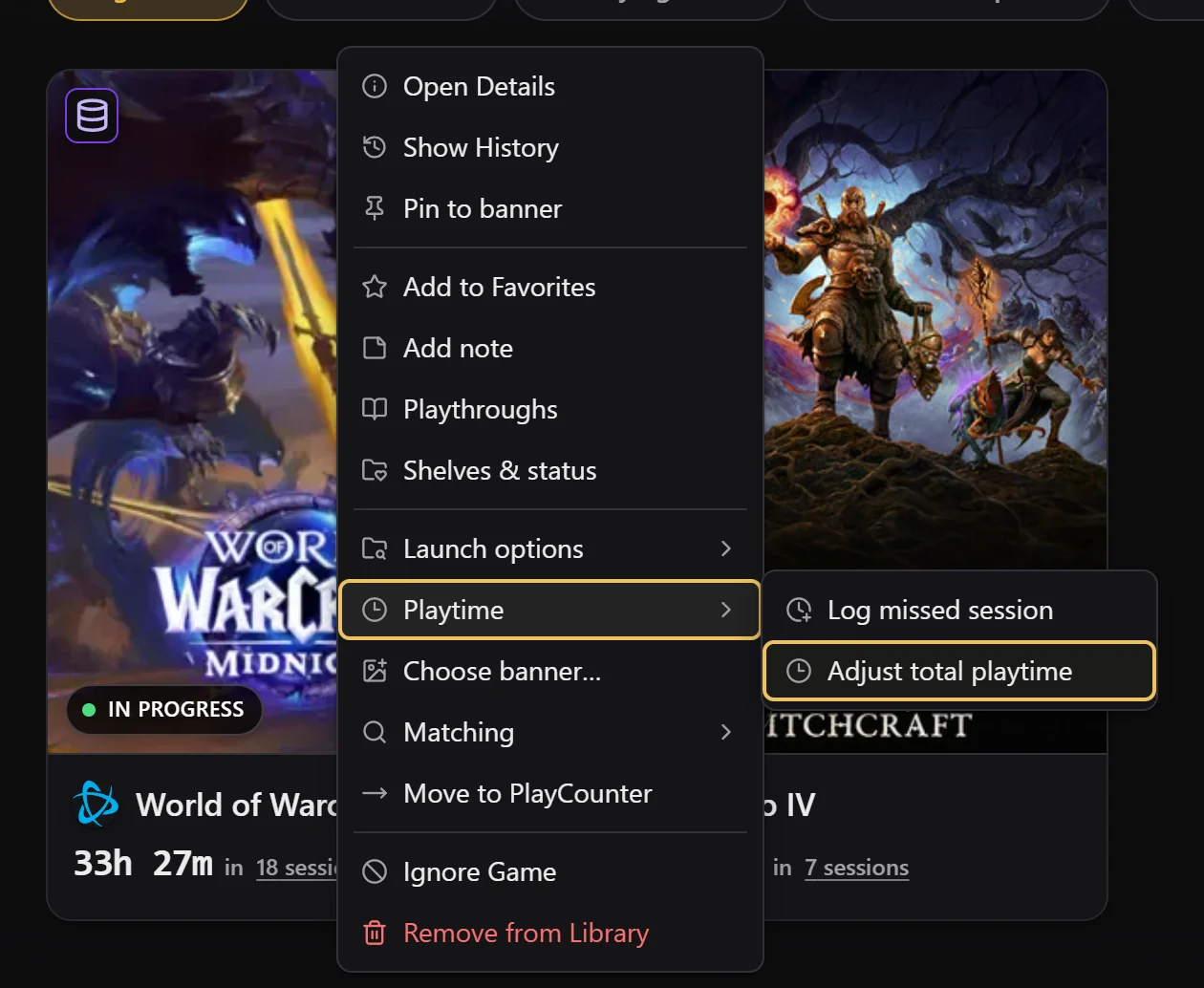
Right-click the game, then Playtime → Adjust total playtime
In My Games, right-click World of Warcraft. Open Playtime and choose Adjust total playtime.
Enter the calculator’s result and save
Type the hours and minutes into New total and select Save total. Enter the full number:
/playedalready includes the sessions PlayCounter recorded.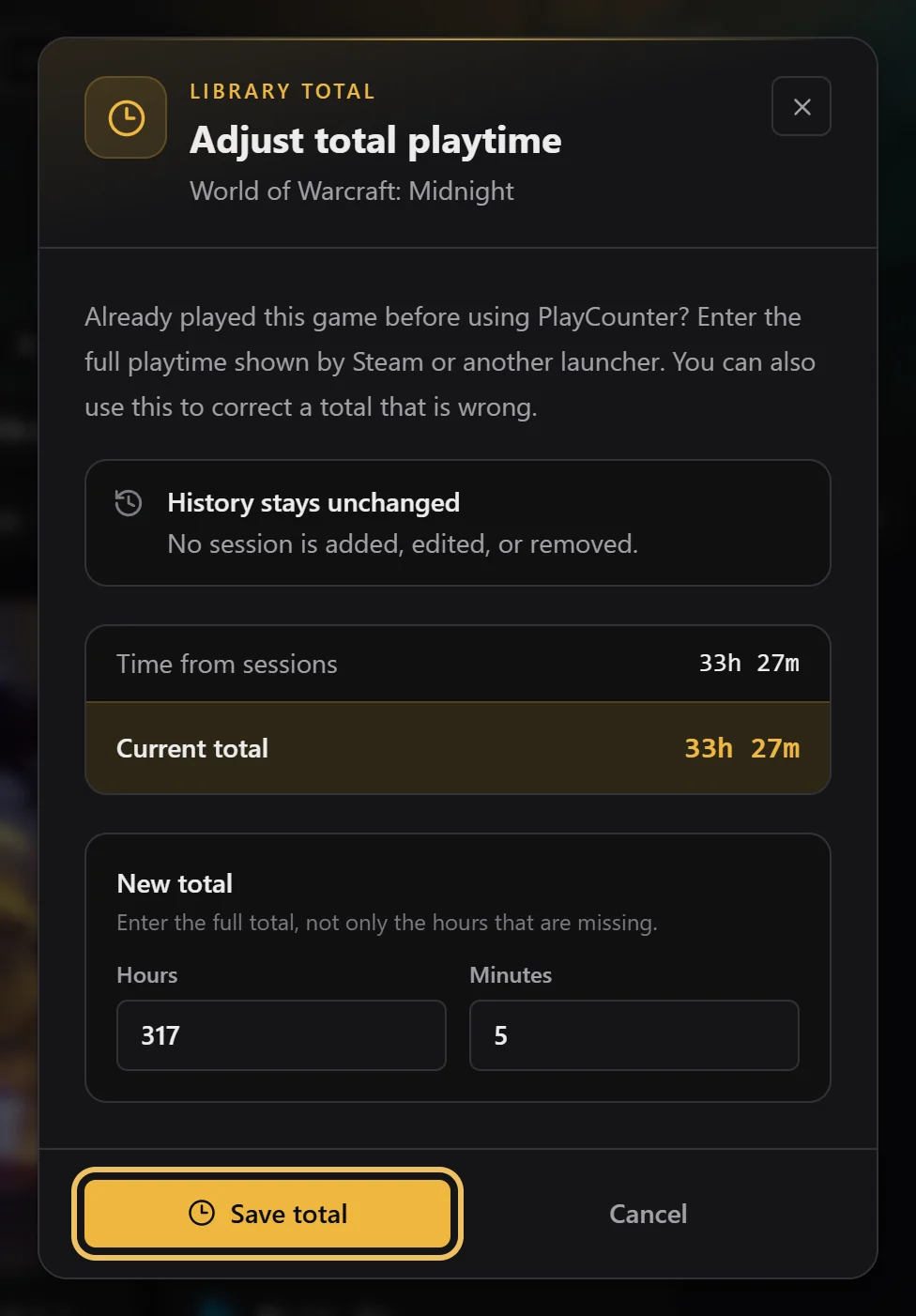
Done: new sessions add up from here
The game card shows your new total. Every session from now on is added to it automatically. Your history is not changed.

Why PlayCounter and /played can drift apart
/played counts the time a character is logged in. PlayCounter counts the time the game runs, including the login screen, character selection and loading screens. Over months, PlayCounter’s number usually ends up a little higher. To line them up again, repeat the steps with a fresh /played sum.
Retail, Classic and several accounts
Retail World of Warcraft and each Classic version are separate games in PlayCounter. Add up only the characters of the version you are setting. Characters from several WoW accounts on this PC count toward the same game, so include them in the sum.