
Why set it up before launch day
Blizzard’s global launch date for World of Warcraft: Forever is November 4, 2026, at 3:00 p.m. PST. The beta runs from September 17 to October 21, 2026. Access is included with a World of Warcraft subscription or game time.
In the game, /played shows the time of one character. There is no history of your sessions, no playtime per day and no total across all your characters. Those only exist if something records them while you play, so set PlayCounter up before your first Forever session.
Set up PlayCounter before launch day
Install PlayCounter
Download the free Windows installer from this page and run it. There is no PlayCounter account to create.
Keep Launch on startup on
It is on by default. PlayCounter then starts when you sign in to Windows and waits in the tray, so no session is missed because you forgot to open it. The switch is in Settings → General.
Start Forever from Battle.net as usual
You don’t launch the game through PlayCounter and don’t need to import anything first. PlayCounter notices the running game by itself.
Check your first Forever session once
PlayCounter already recognizes the Forever beta as World of Warcraft: Forever. The launch version may start from a different game file, so check once in your first session after launch:
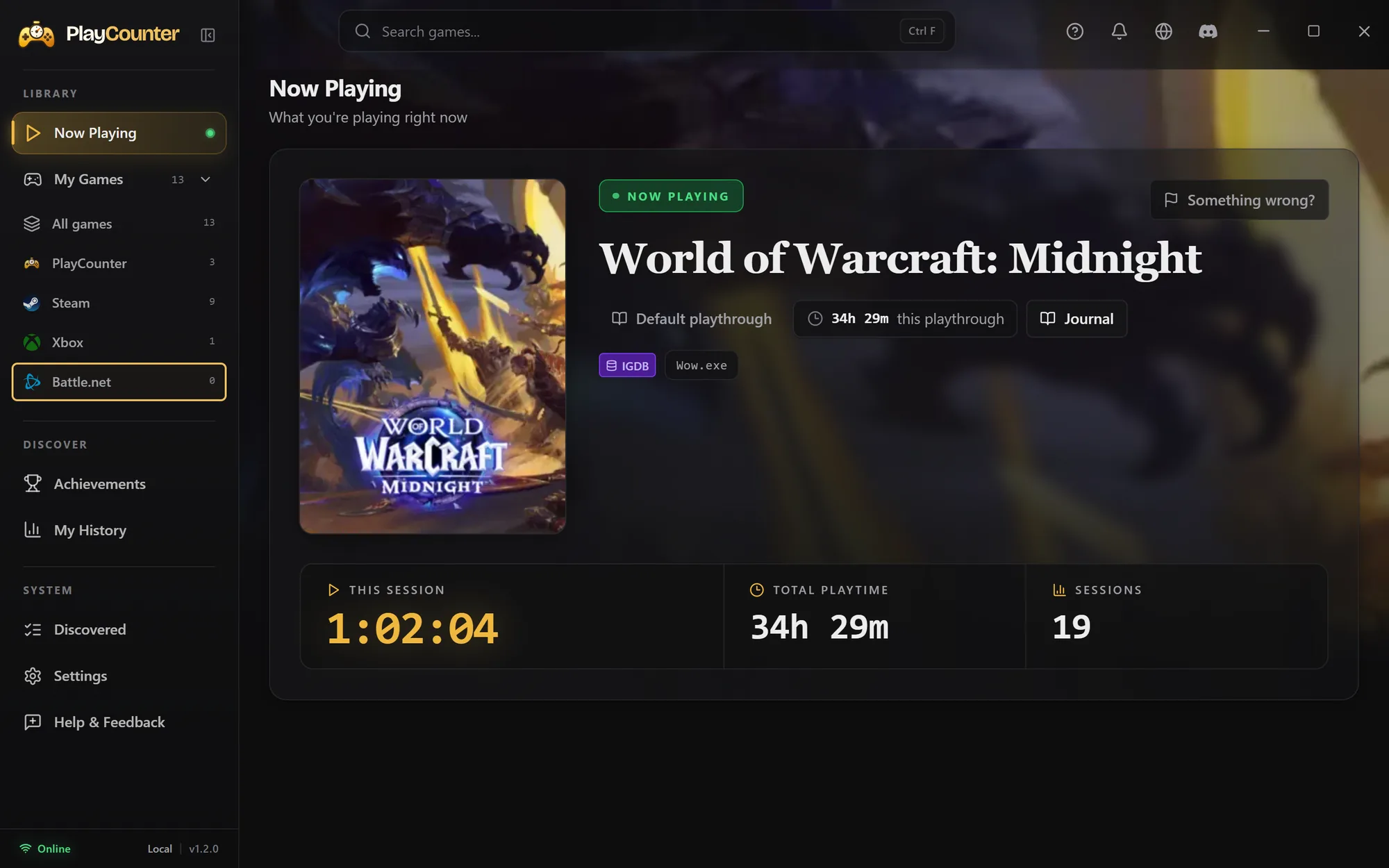
- While Forever is running, open Now Playing in PlayCounter.
- If it shows World of Warcraft: Forever with a running timer, you are done. Later sessions are recorded the same way.
- If Now Playing shows nothing, open Discovered, choose Add & Share on the running WoW file and pick World of Warcraft: Forever. Your match then helps other players too. How to add a game.
- If it shows a different game, select the flag for Report wrong match, choose It belongs to a different game and pick the right one.
PlayCounter only records games it knows, so this one check makes sure your first hours count.
Played before installing PlayCounter?
Type /played on each Forever character and add the totals up with the /played calculator. Then set the sum once in PlayCounter: right-click the game in My Games, open Playtime and choose Adjust total playtime. New sessions are added on top. Step by step with screenshots.
What PlayCounter counts
PlayCounter measures how long the game runs, including the login screen, character selection and loading screens. It does not split a session by character. /played only counts the time you are logged in to a character, so PlayCounter’s number usually ends up a little higher. Why the two drift apart.